

Privacy Policy
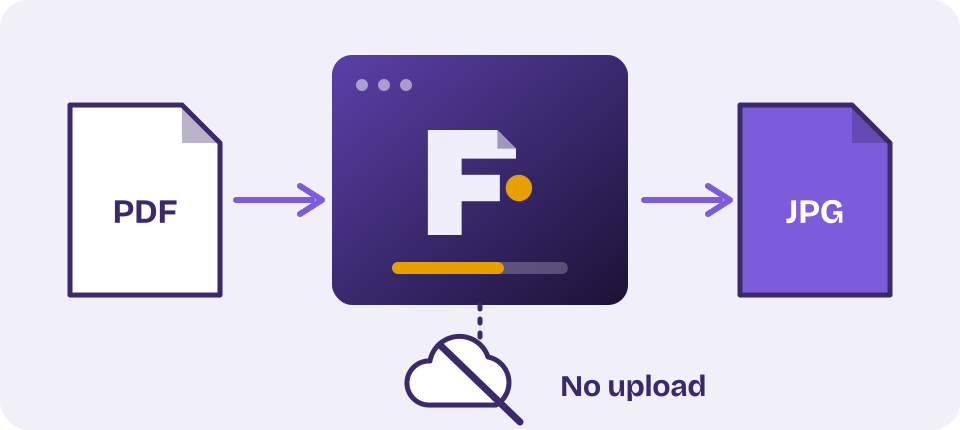
Summary
- Your PDF files are processed on your device and are not uploaded to us.
- We do not ask you to create an account. We set analytics cookies only if you accept them.
- Our hosting provider keeps standard server logs. We only receive personal data that you choose to email us.
Who we are
Fileo is operated by Pink Sky, Karachi, Pakistan ("we", "us"). You can reach us at support@dkolla.com. This policy applies to Fileo at dkolla.com/fileo.
Your files
PDF files are read and rebuilt by your browser on your own device. The PDF engine that draws pages is bundled with the site and runs locally. We do not receive, view, store or have access to your PDF files or the results. When you close or refresh the page, they are gone from your browser.
Information we collect
- Server logs. When you visit, the web server that hosts this site automatically records technical information such as your IP address, browser type, the pages requested and the time. This is used to run and secure the site. The logs are kept by our hosting provider under its own retention practices.
- Analytics (only if you accept). We use Google Analytics to count visits. It records which pages are viewed, roughly where visitors are located (country or city), the type of device and browser, and how visitors arrived. It does not receive your files.
- Messages you send us. If you email us, we receive your email address and what you write, and we use it only to reply and to improve the service.
We do not sell personal data.
Cookies and local storage
If you select Accept on the cookie banner, we use Google Analytics to understand how Fileo is used. Google Analytics sets cookies in your browser and receives your IP address and other technical details. Analytics is not loaded at all unless you accept. If you select Decline or ignore the banner, no analytics scripts are loaded and no analytics cookies are set.
Your choice is saved in your browser's local storage so that we do not ask again. You can change it at any time with the Privacy choices link in the footer. Advertising partners may also set cookies if ads are enabled, as described below.
Third-party services
Google Analytics is provided by Google, which processes analytics data on our behalf, possibly in the United States and other countries. It is loaded only after you accept. We have turned off Google signals and advertising features for analytics. Learn how Google uses data at policies.google.com/technologies/partner-sites.
The site does not load scripts, fonts or images from other companies while you use the tools. Fonts are hosted on our own server.
Advertising
We show advertisements to keep the tools free. Ads are served by third-party advertising networks, which may use cookies or similar technologies to show and measure ads, including ads based on your visits to this and other sites. You can opt out of interest-based advertising from many networks at youradchoices.com. We do not show ads if you decline cookies in Privacy choices or if your browser sends a Global Privacy Control signal, and we try not to show ads to visitors in the European Economic Area and the United Kingdom. Advertisers never receive your files.
Children
Fileo is a general audience tool and is not directed to children under 13. We do not knowingly collect personal data from children.
Your rights
Depending on where you live, you may have the right to ask what personal data we hold about you, and to have it corrected or deleted. Because we hold very little personal data, this mainly concerns emails you have sent us. For the Android app, see Deleting your data in the Fileo Android app section below. Contact us at support@dkolla.com and we will respond within a reasonable time.
International visitors
This site is available worldwide and is served from a third-party hosting provider. Server logs may be processed in the country where that provider's servers are located.
Security
The site is served over HTTPS. Processing files on your own device reduces the risk of your files being exposed, but you remain responsible for the security of your device and browser.
Fileo Android app
This section applies to the Fileo app for Android.
- On-device processing. Every PDF tool in the app (merge, split, compress, rotate, protect, unlock, watermark, page management, page numbers, image conversion, e-signing, batch processing) runs entirely on your device. Your files are never uploaded to our servers to use these tools.
- Google Drive backup (optional). If you choose to back up a result to Google Drive, the app asks you to sign in with Google and requests permission to create and manage files in a Fileo folder in your Drive. It cannot see or touch any other file in your Drive. The file you choose to back up is sent directly from your device to your own Google Drive account. We do not receive a copy of it, and it never passes through our servers. Fileo's use and transfer of information received from Google APIs adheres to the Google API Services User Data Policy, including the Limited Use requirements. You can sign out in the app, or remove access at myaccount.google.com/permissions.
- No account. The app does not ask you to sign up or log in, so there is no account to delete.
- Ads. The app shows ads through Unity LevelPlay, which uses the Unity Ads network, and through Start.io as a backup network. These companies may collect your Android advertising ID, your IP address (which can show your approximate location), device and app information, and how you interact with ads, to show and measure ads, prevent fraud and diagnose problems. They handle this data under their own policies: Unity and Start.io. You can reset or delete your advertising ID in your Android settings. We never give advertisers your files.
- Purchases. The optional ad-free subscription is billed and handled by Google Play. We do not receive or store your payment details. The app only keeps on your phone whether you currently have an active subscription. To cancel, open Payments and subscriptions in the Play Store.
- Deleting your data. Fileo has no accounts. Uninstalling the app, or clearing its storage in Android Settings, removes all of its local data. PDFs you saved or shared from Fileo to other places are copies you control, so delete them there. To remove Drive backups, delete the Fileo folder in Google Drive and remove access as described above. For any other request, email support@dkolla.com. Step-by-step instructions are at dkolla.com/fileo/delete-account.html.
Changes to this policy
We may update this policy from time to time. The date at the top shows when it was last changed. If we make important changes, we will make that clear on this page.
Contact
Questions about this policy? Write to support@dkolla.com or visit the Contact page.